


Hollow Knight
played 282 times279
Share game
Discover something different

More to mix
Sprunki
Sprunki Phase 3
Joy Garden
Sprunki Phase 4
Sprunked
Sprunki Wenda’s Dimension
Sprunki Phase 5
Sprunki Retake
Sprunki - Hyper Shifted Phase 3 Remastered
Sprunki Phase 7 Remastered
Sprunki Phase 8
Saving Funbot from Lava
Sprunki Double Date
Sprunki Mustard
Sprunki Mother’s Nature Port
Sprunki Wenda Treatment

Sprunkin
Sprunki Kiss Mod
Sprunki Phase 9
Sprunki Sad Mod
Sprunke Phase 4 Remastered Remake New Update
Meccha Chameleon
Sprunki Phase 11
Sprunki OC Real










What is Hollow Knight?
Hollow Knight is a critically acclaimed action-adventure game developed by Team Cherry. It’s a Metroidvania-style game where players explore the vast, interconnected world of Hallownest, a ruined kingdom filled with dangerous creatures, hidden secrets, and challenging platforming sections. The game is known for its beautiful hand-drawn art, deep lore, and challenging yet rewarding gameplay.
How to Play Hollow Knight
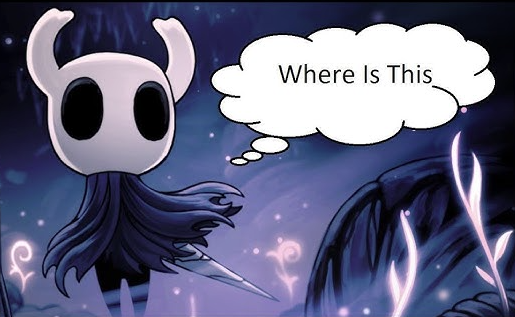
In Hollow Knight, you control a small, silent warrior known as the Knight. The objective is to explore the underground world, defeat powerful enemies, and uncover the mysteries of Hallownest. The game involves platforming, combat, and acquiring new abilities to access previously unreachable areas.
Movement & Controls:
- Move: Arrow keys or left stick (controller)
- Jump: Spacebar or A button
- Attack: J or X button
- Dash: Shift or RT button (after acquiring the Mothwing Cloak)
- Spell Cast: F or B button
- Heal: Hold Q or LT button (using Soul)
Core Mechanics:
- Combat: Use your nail (sword) to attack enemies.
- Soul & Spells: Attacking enemies fills your Soul meter, which can be used for healing or casting spells.
- Exploration: Unlock new paths with upgrades like the Mantis Claw (wall jump) and Monarch Wings (double jump).
- Charms: These provide unique abilities and advantages, such as faster healing or stronger attacks.
Gameplay and Mouse Support
- Hollow Knight is primarily designed for keyboard/controller play. Mouse controls are not supported by default, but mods can enable mouse-based attack aiming.
- If you prefer using a controller, it is highly recommended for smoother movement and combat.